
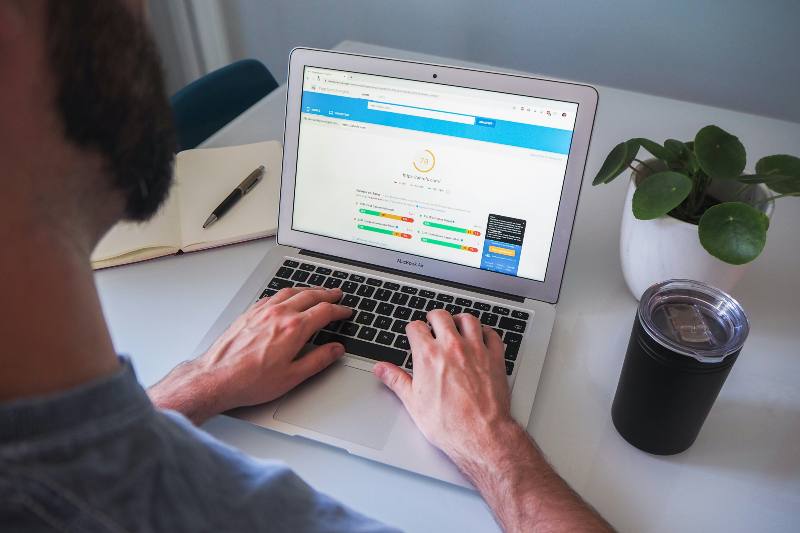
If you’ve been wondering why your website isn’t bringing in the local customers you’d expect, website speed SEO could be the culprit you’ve been overlooking. It’s one of the most common, and most fixable, reasons small businesses lose out in local search results. Google uses page speed as a ranking signal, and if your site loads slowly, you’re likely slipping down the rankings and driving potential customers straight to your competitors before they’ve even seen what you offer.
In this blog, we’ll explain exactly why site speed matters for local SEO, what’s likely slowing your site down, and the practical steps you can take to fix it – without needing to be a technical expert.
Why Website Speed Is a Local SEO Ranking Factor
Google’s mission is to deliver the best possible experience to searchers, and that includes fast-loading websites. Back in 2018, Google officially made page speed a ranking factor for mobile searches through its Speed Update. Since then, its Core Web Vitals (a set of metrics that measure loading, interactivity, and visual stability) have become a direct part of how Google evaluates your site.
For local businesses, this is especially significant. When someone searches for a plumber, a restaurant, or a hair salon near them, they want results fast. If your site takes more than two or three seconds to load, research shows the majority of users will simply leave… and Google knows this. A slow site signals a poor user experience, which means lower rankings, less visibility, and fewer enquiries.
Here’s what slow page speed costs local businesses in practical terms:
- Higher bounce rates — visitors leave before your page even loads
- Lower rankings in local search results and Google Maps
- Fewer calls, bookings, and walk-ins from online searches
- Lost trust — a slow site makes your business look unprofessional
What’s Slowing Your Website Down?
Most small business websites have several speed issues that have built up over time, often without the owner even realising. These are the most common culprits:
Large, Uncompressed Images
Images are one of the biggest causes of a slow website. Uploading a photo straight from your phone or camera without resizing or compressing it first means your site has to load a file that’s far larger than it needs to be. A good rule of thumb is to keep images under 50KB where possible, and to use modern formats like WebP instead of JPEG or PNG.
Slow or Cheap Hosting
The hosting plan you chose when you first set up your website might have seemed perfectly reasonable at the time, but bargain-basement shared hosting often means your site is crammed onto an overcrowded server. This leads to sluggish response times that no amount of optimisation elsewhere can fully compensate for. Upgrading to a reputable UK hosting provider with solid performance can make an immediate difference.
Too Many Plugins or Scripts
If your site runs on WordPress or a similar platform, it’s easy to accumulate plugins over the years — each one adding extra code that must be loaded every time someone visits. Chat widgets, social media feeds, pop-up tools, and analytics scripts all add to your page load time. Auditing and removing anything you don’t really need is a quick win.
No Caching or Content Delivery Network (CDN)
Caching allows your website to serve a stored version of your pages to visitors rather than building the page from scratch each time. A CDN goes a step further, distributing your content across multiple servers around the world so it’s delivered from the location closest to your visitor. Both are straightforward to set up and can dramatically reduce load times.
How to Test Your Website Speed for Free
Before you can fix the problem, you need to understand what you’re dealing with. Fortunately, there are free tools that will tell you exactly how your site performs and what needs improving.
- Google PageSpeed Insights — gives you a score out of 100 for both mobile and desktop, along with specific recommendations
- GTmetrix — provides a detailed breakdown of what’s slowing your site and how to fix each issue
- Pingdom Tools — lets you test your site speed from different locations, including the UK
Aim for a Google PageSpeed score of 70 or above on mobile. Given that the majority of local searches now happen on smartphones, your mobile score is the one that matters most.
How to Improve Your Website Speed for Local SEO
You don’t need to be a developer to make meaningful improvements to your site speed. Here are the most impactful steps you can take:
- Compress and resize images before uploading using a free tool such as Squoosh or TinyPNG
- Install a caching plugin (WP Rocket or W3 Total Cache for WordPress sites)
- Remove unused plugins and themes — if you’re not using it, delete it
- Upgrade your hosting to a quality provider with UK-based servers
- Enable a CDN such as Cloudflare (the free plan is sufficient for most small business websites)
- Minify CSS, JavaScript, and HTML — most caching plugins handle this automatically
Speed improvements alone won’t get your business ranking — they work best as part of a broader local SEO strategy. To understand the full picture of what affects your visibility, take a look at our guide to local SEO benefits for small businesses.
Speed, Mobile-First Indexing, and Local Search
Google now uses mobile-first indexing, which means it primarily looks at the mobile version of your website when deciding how to rank you. If your site loads slowly on a smartphone — or displays poorly on a small screen — you’re at a significant disadvantage in local search results.
Think about how your own customers search for businesses like yours. They’re likely doing it on their phone, often while they’re out and about, perhaps looking for something nearby right now. If your site takes five seconds to load, they’ll tap the back button and call your competitor instead. Speed isn’t just a technical issue — it’s a direct driver of whether you win or lose that customer.
FAQs: Website Speed SEO
How fast should my website load for local SEO?
Ideally, your pages should load in under three seconds on mobile. Studies consistently show that users abandon sites that take longer than this, and Google’s own guidance recommends aiming for a Largest Contentful Paint (LCP) — a Core Web Vital that measures load speed — of 2.5 seconds or less. Achieving this will put you in a strong position relative to most local competitors.
Does website speed affect my Google Maps ranking?
Website speed is a factor in your overall local SEO performance, which in turn influences your Google Maps (Local Pack) visibility. While Google considers many signals for Maps rankings — including your Google Business Profile, reviews, and local citations — a slow, poorly performing website will hold you back. A fast site reinforces all the other work you do to improve your local presence.
Can I improve my website speed without a developer?
Yes, many of the most effective speed improvements can be made without technical expertise. Compressing images, installing a caching plugin, enabling a free CDN like Cloudflare, and removing unnecessary plugins are all things a non-technical business owner can do. For deeper technical issues — such as server configuration or code optimisation — it’s worth getting professional help to ensure the changes are done correctly.
Is Your Website Speed Holding Back Your Local Rankings?
A slow website isn’t just a technical inconvenience — it’s actively costing you customers and ranking positions every single day. At SEO Local Business, we carry out a full technical review as part of our local SEO service, identifying speed issues and fixing them alongside everything else that matters for local visibility.
Not sure where to start? Our free local SEO audit will highlight exactly what’s letting your site down, including speed performance.
Get in touch with our team today and let’s find out what’s slowing your site down.
